
STINGER COMMAND CENTER
All-in-one operations software for your whole business.
The desk that replaces a dozen separate subscriptions. Annabelle and 27 specialists work your business before you open the laptop: research, proposals, dispatch, books, content. You approve. She executes. No per-seat charges. Add your whole team. Keep your tools, or switch.
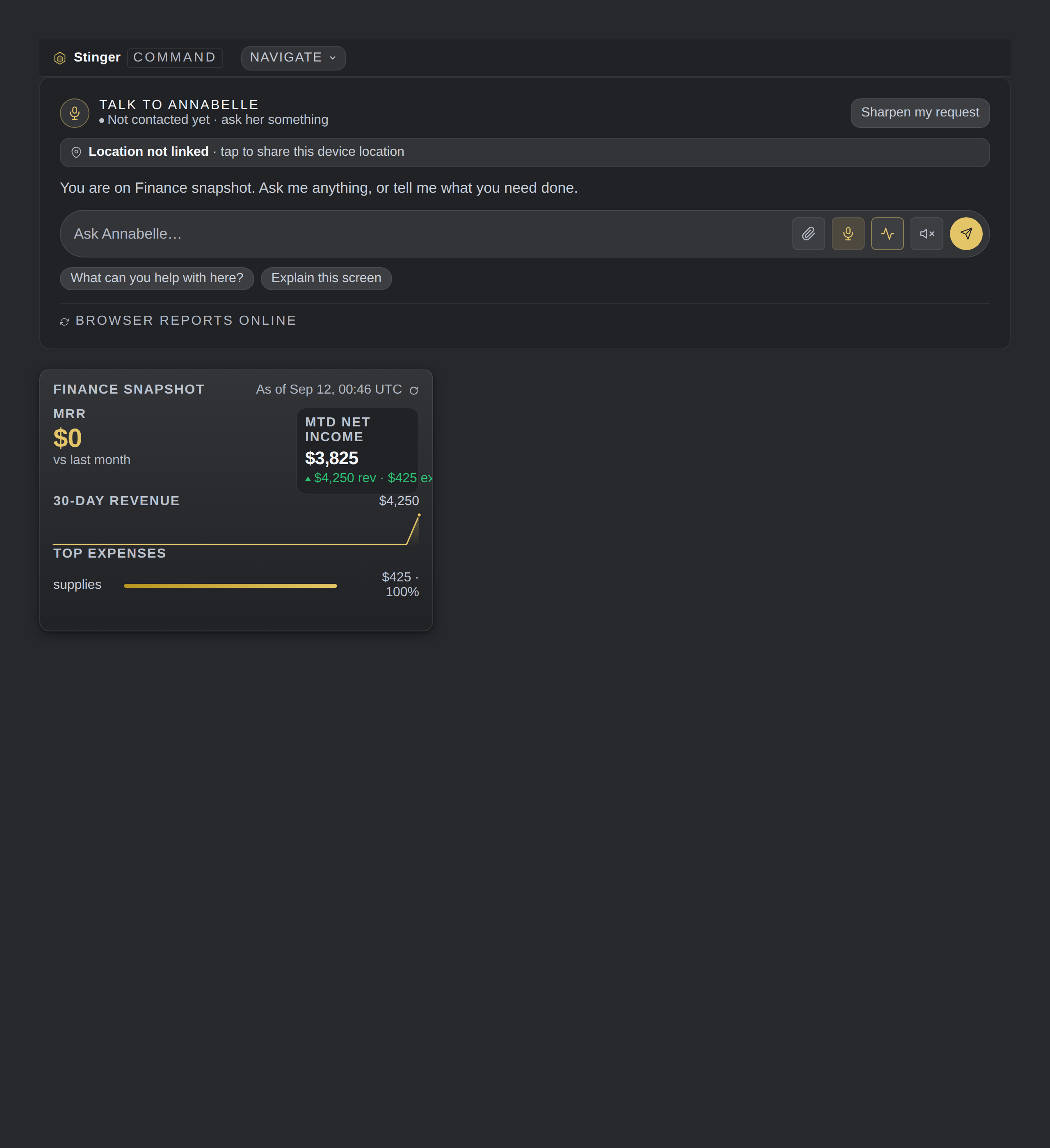
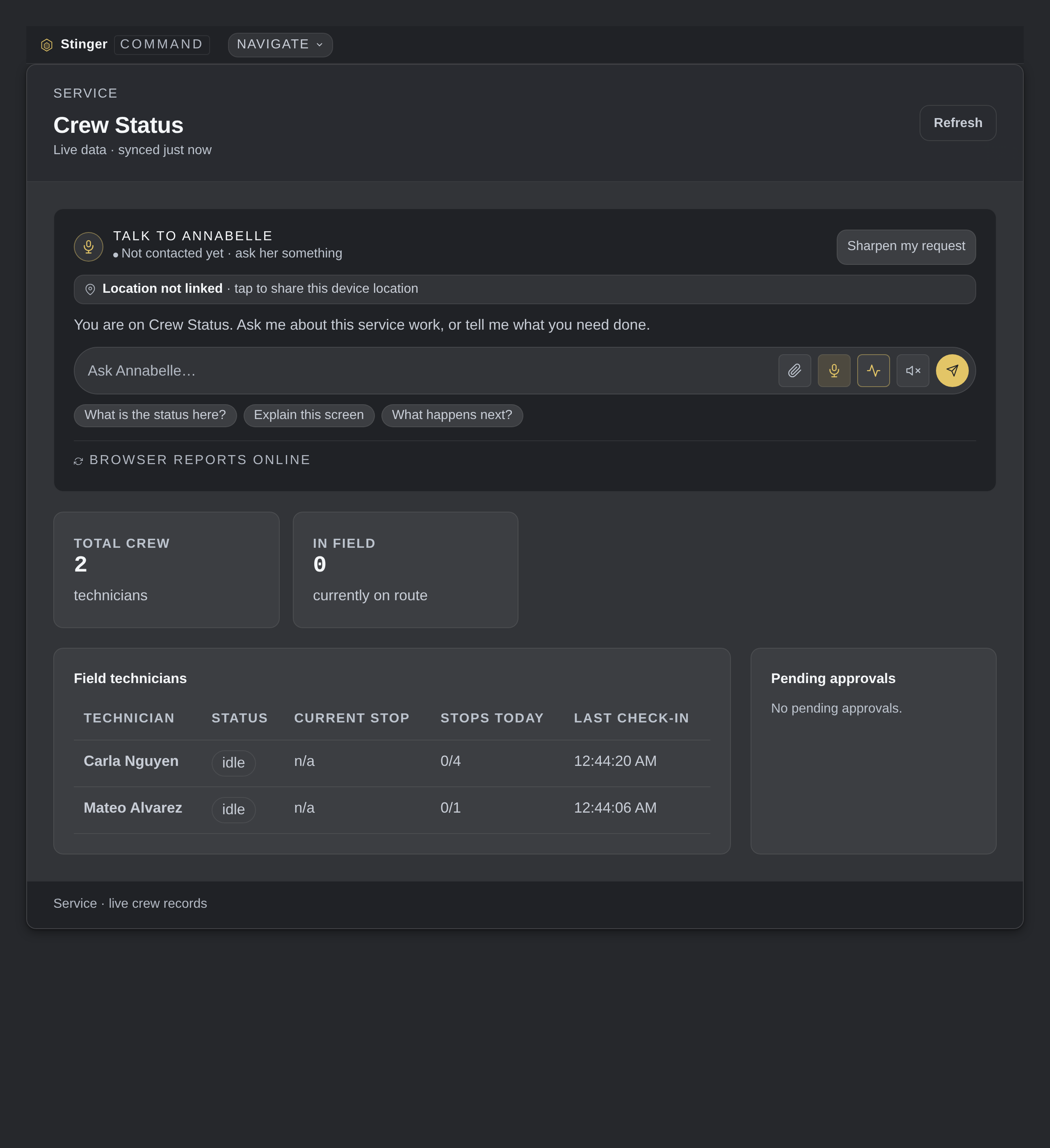
A real Command Center, with real data




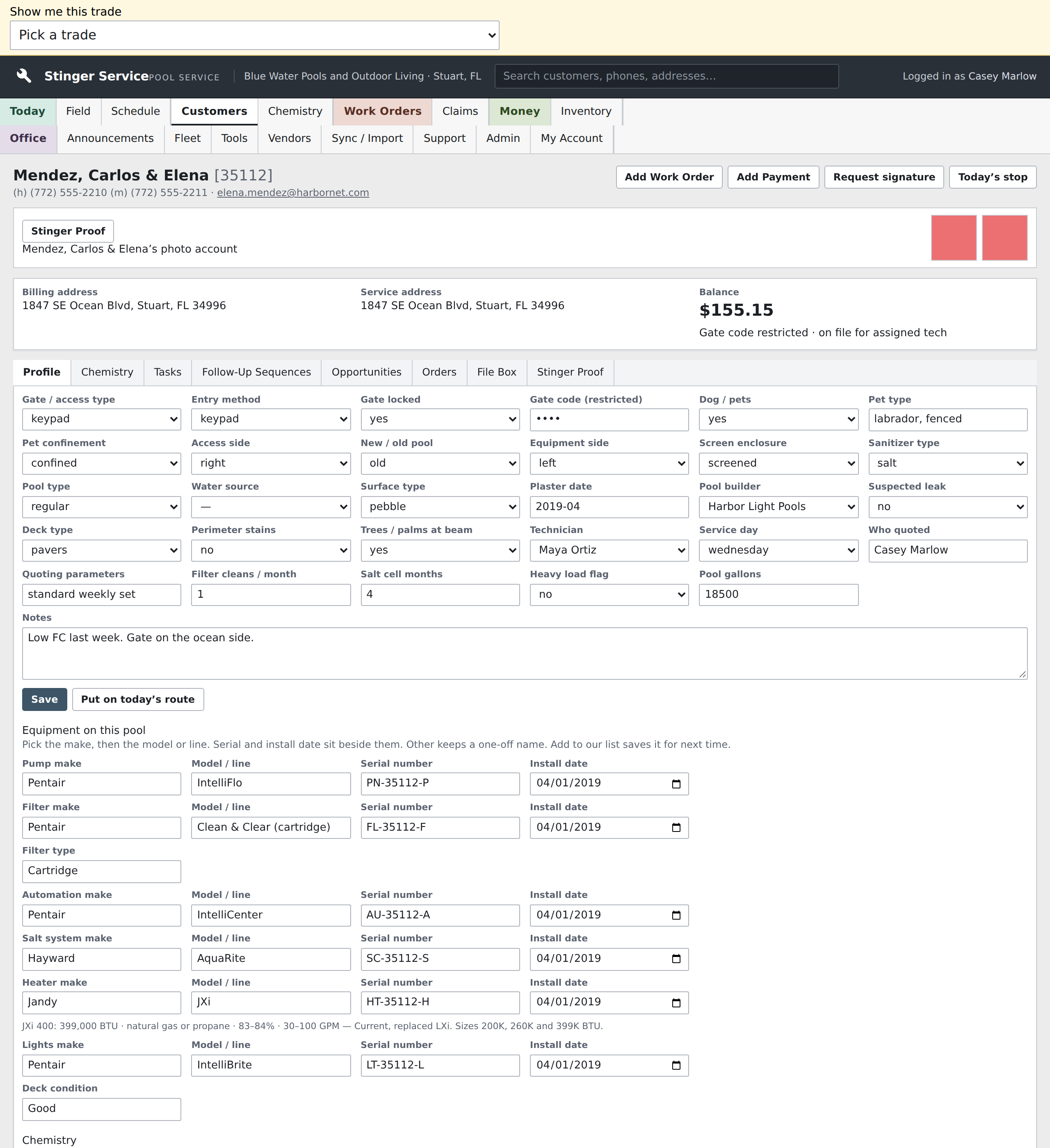

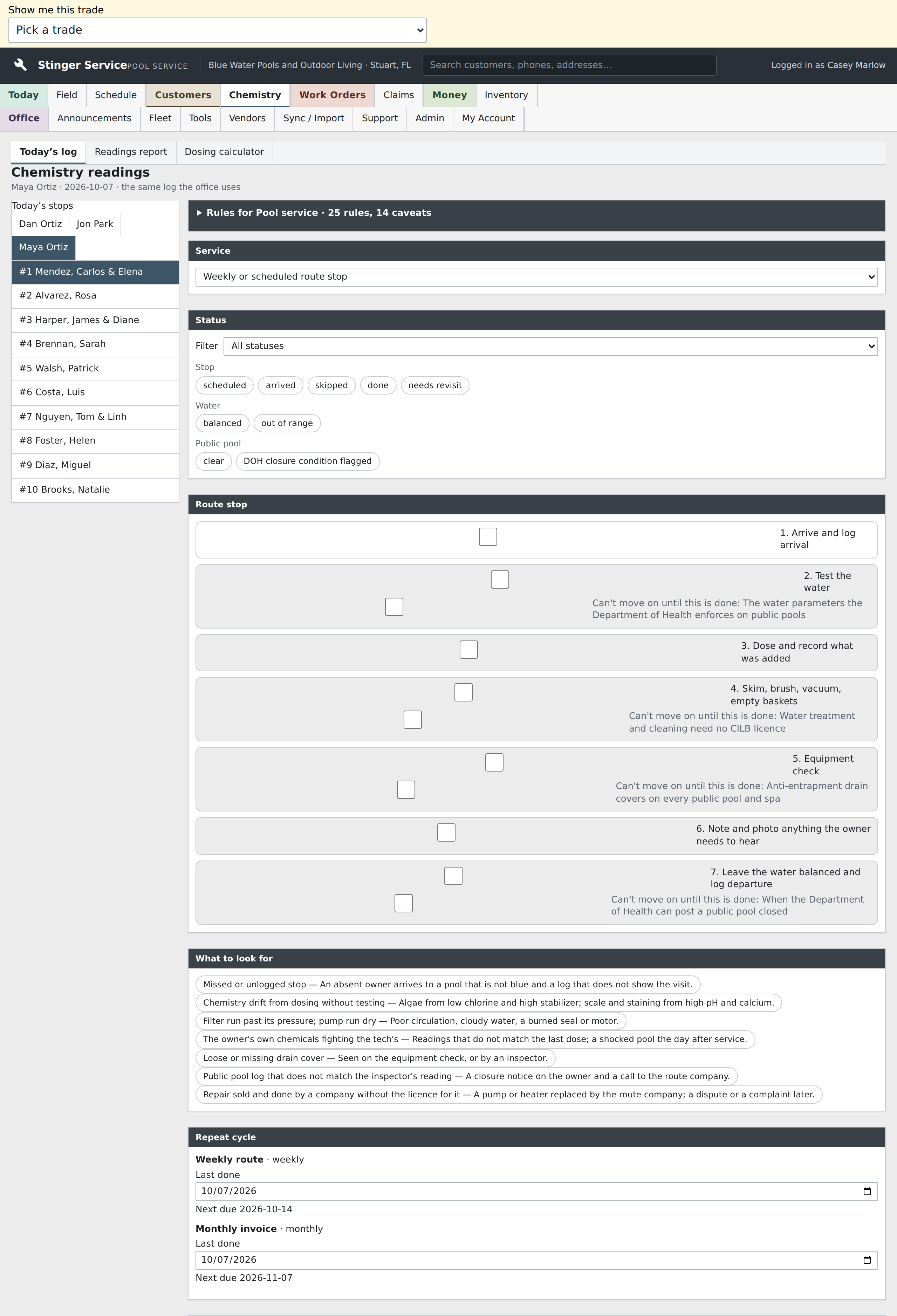
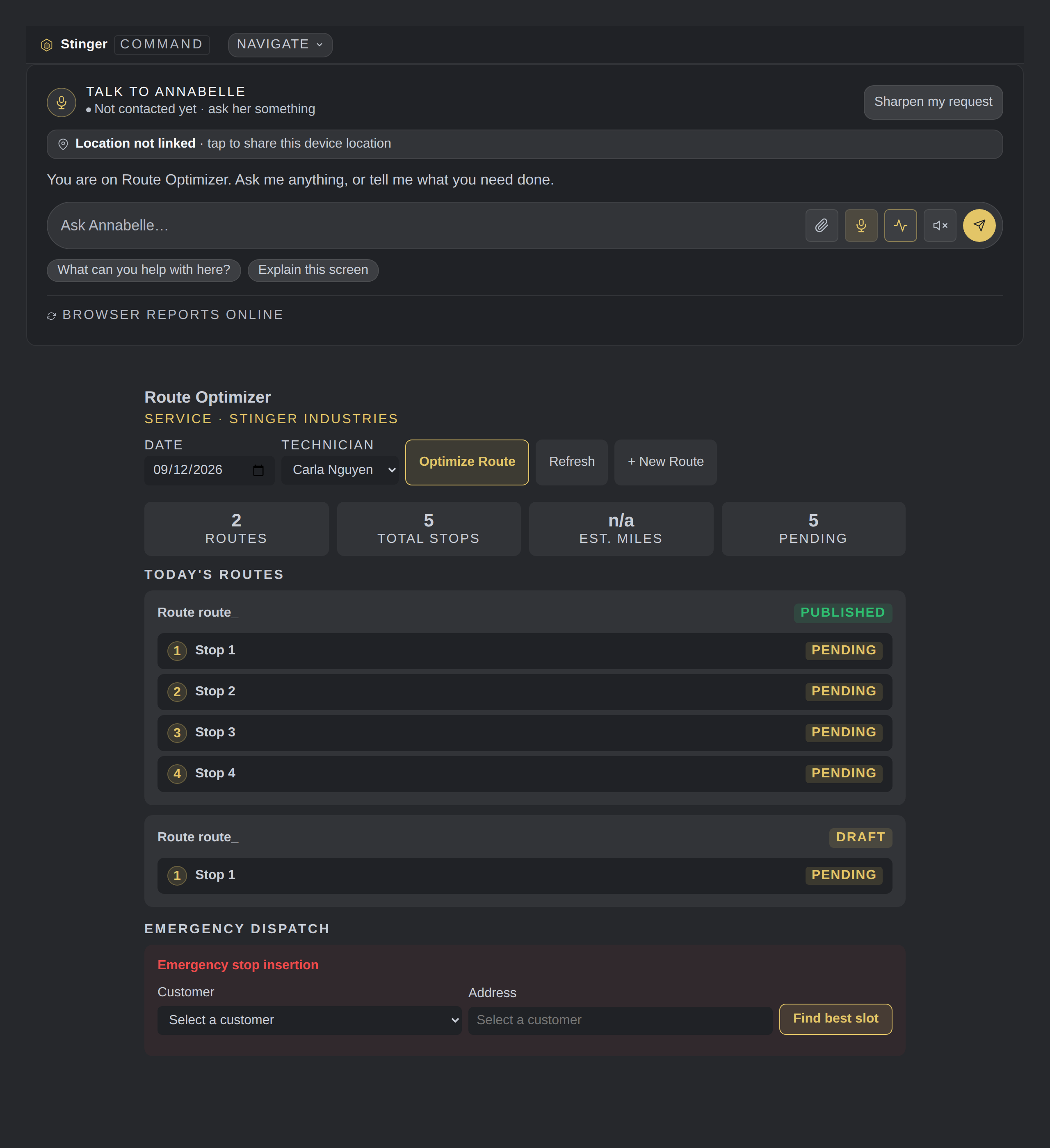
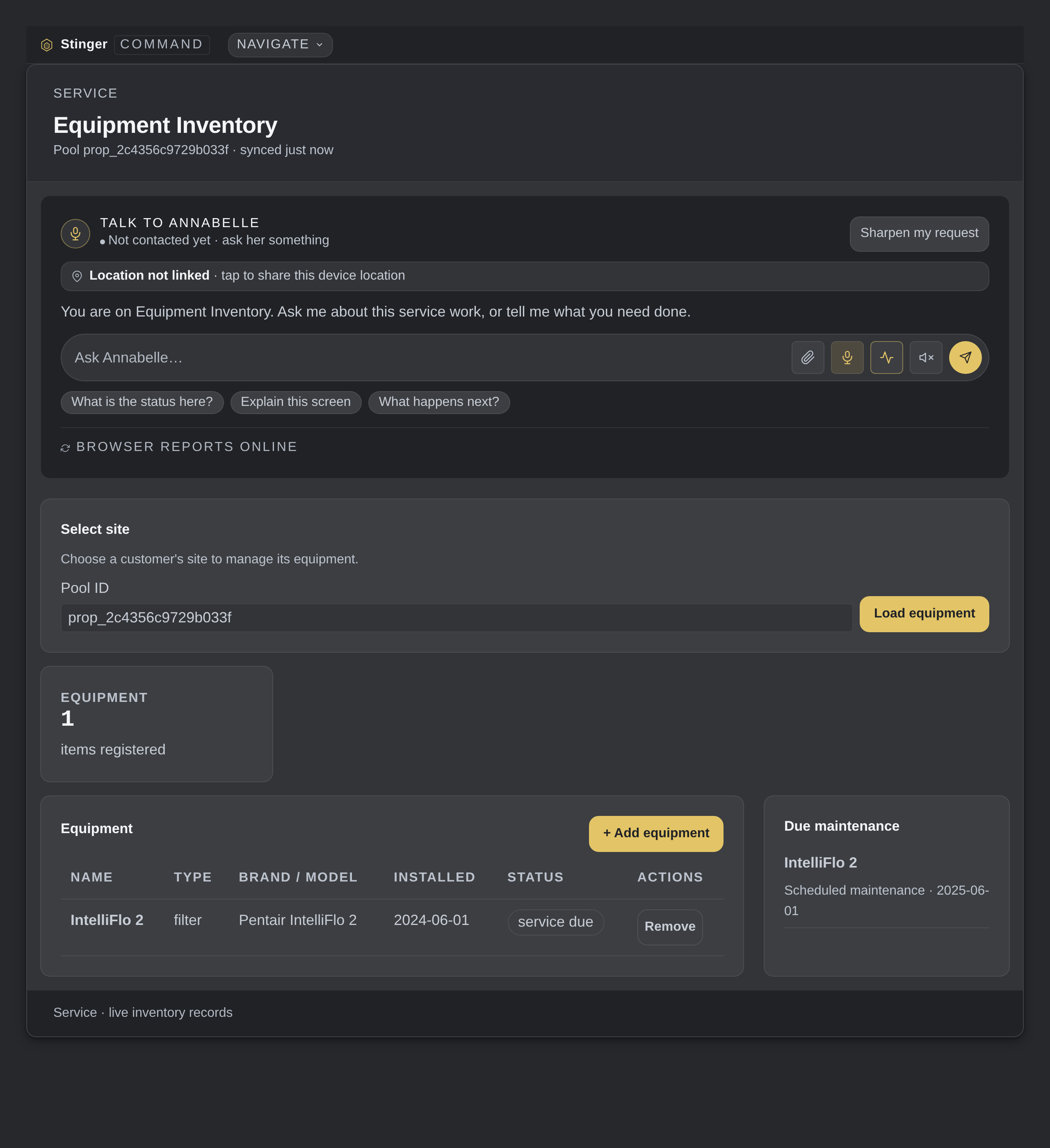



Any trade, any service company
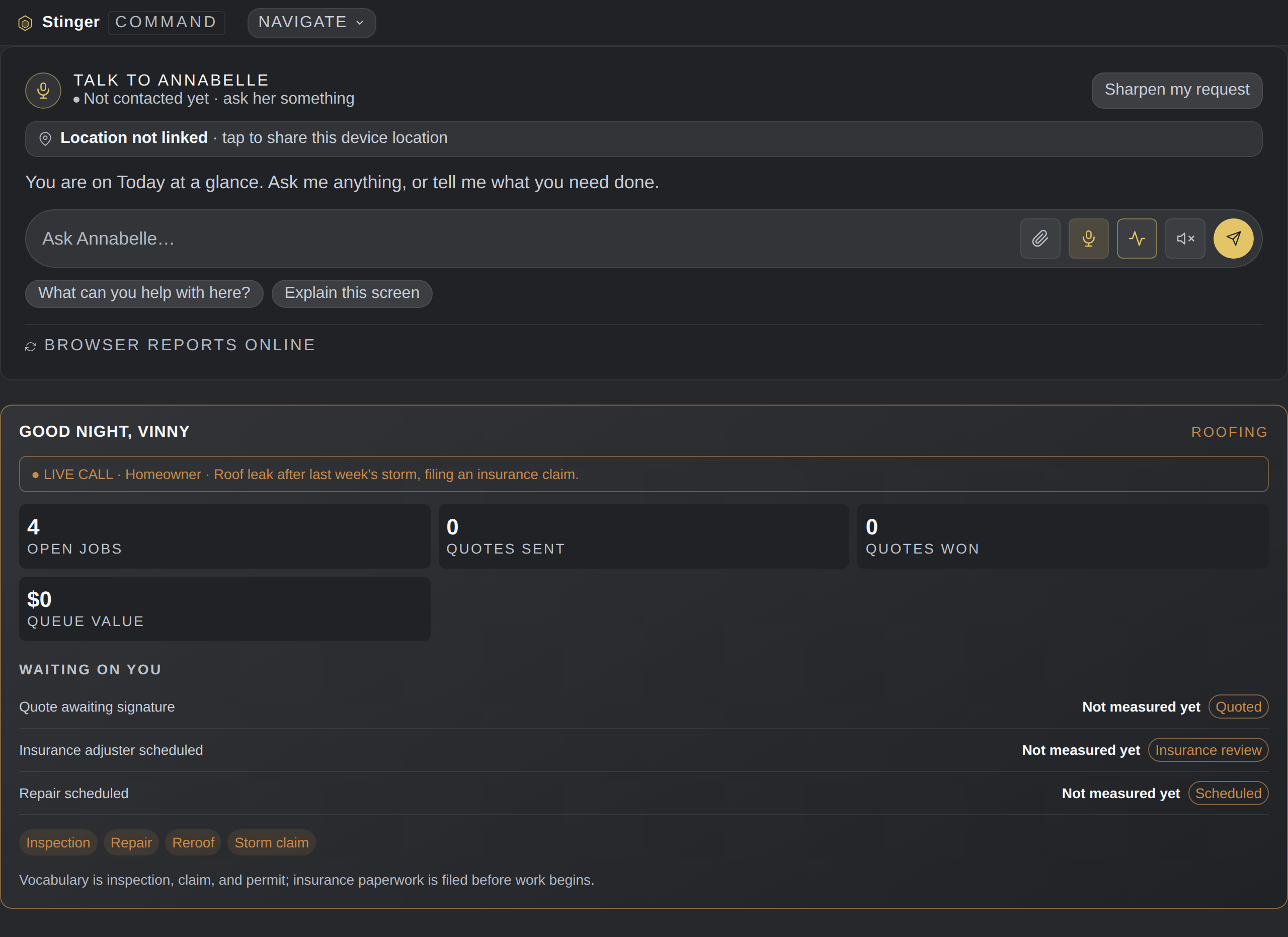
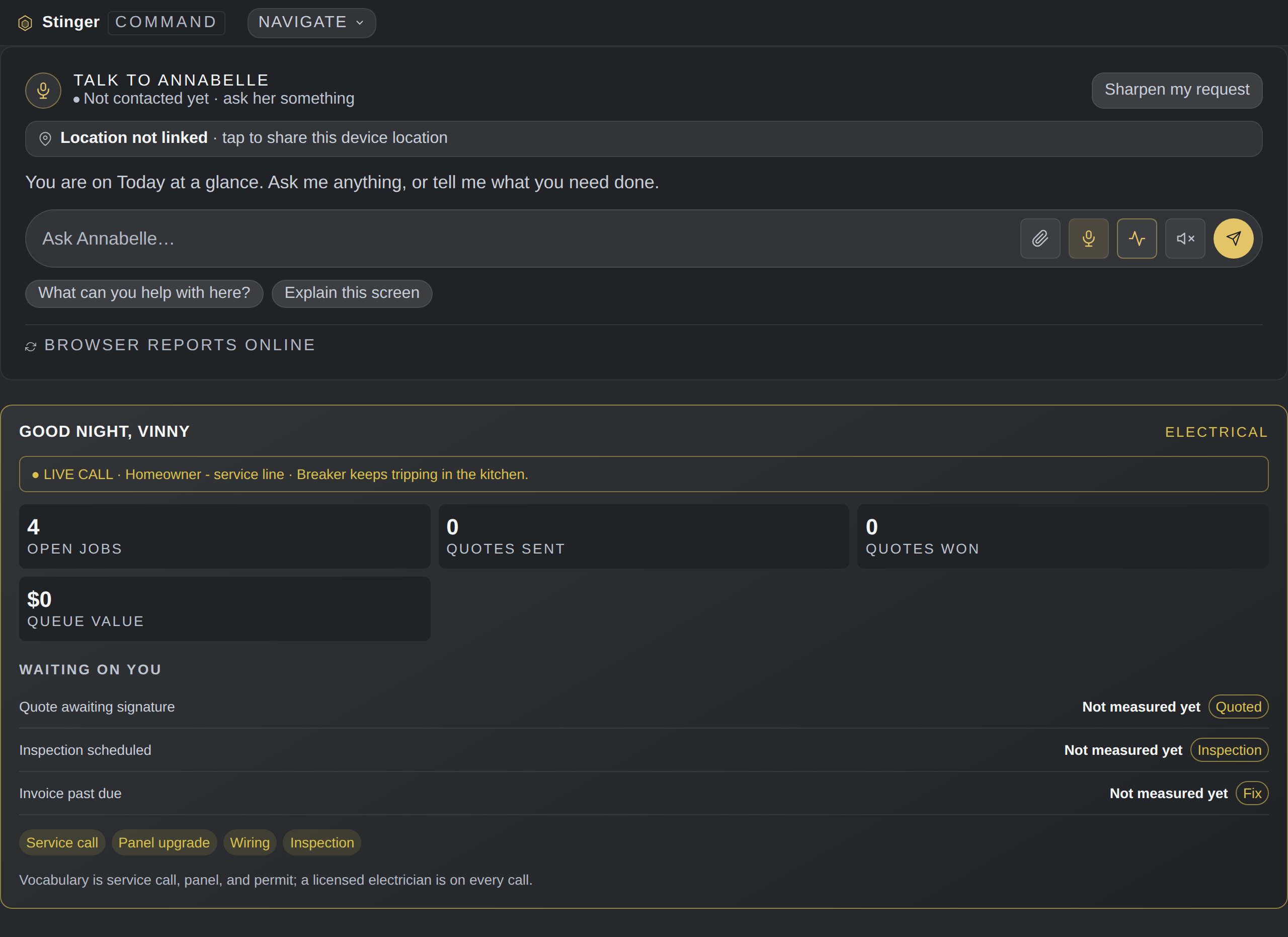
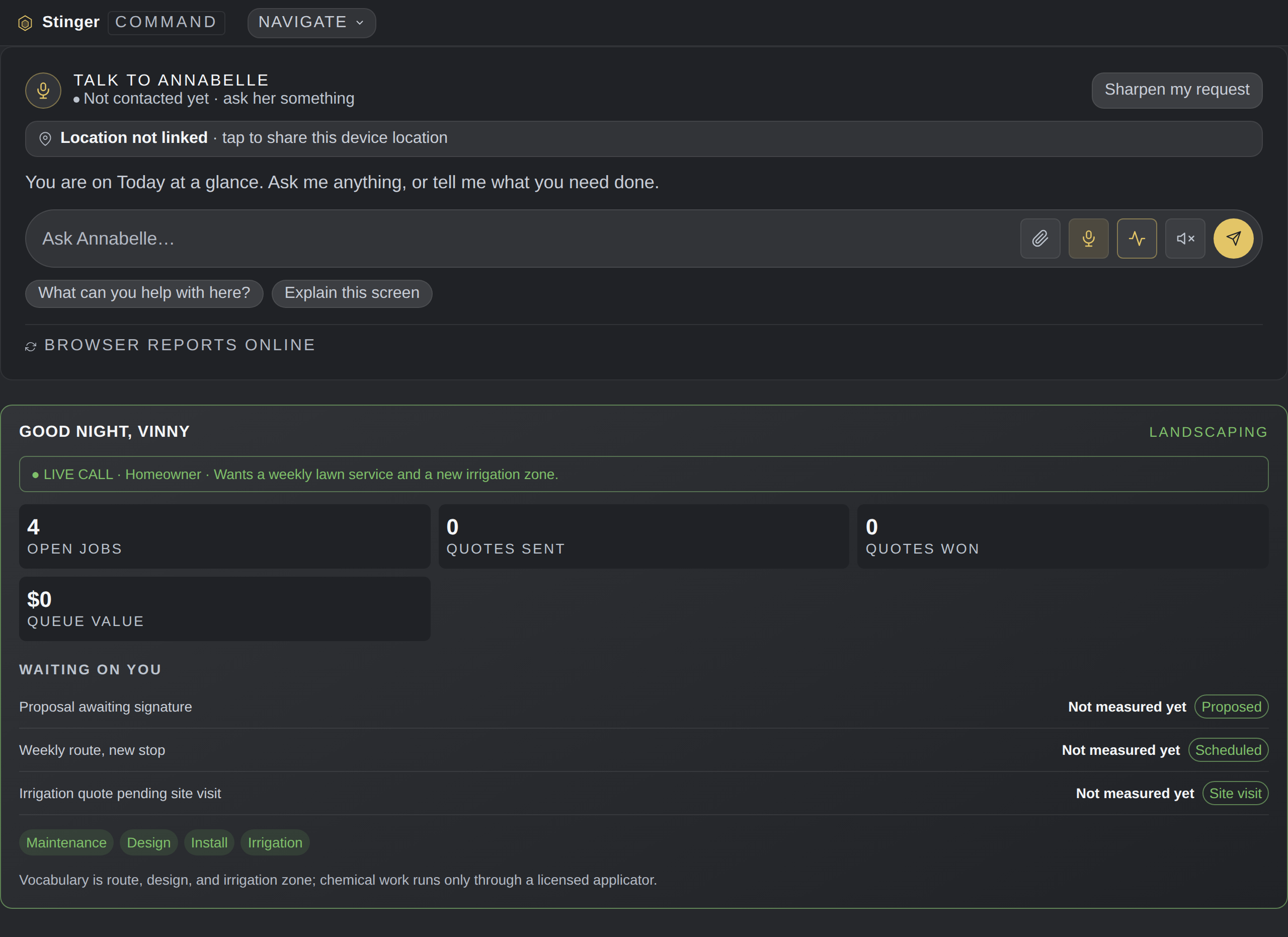
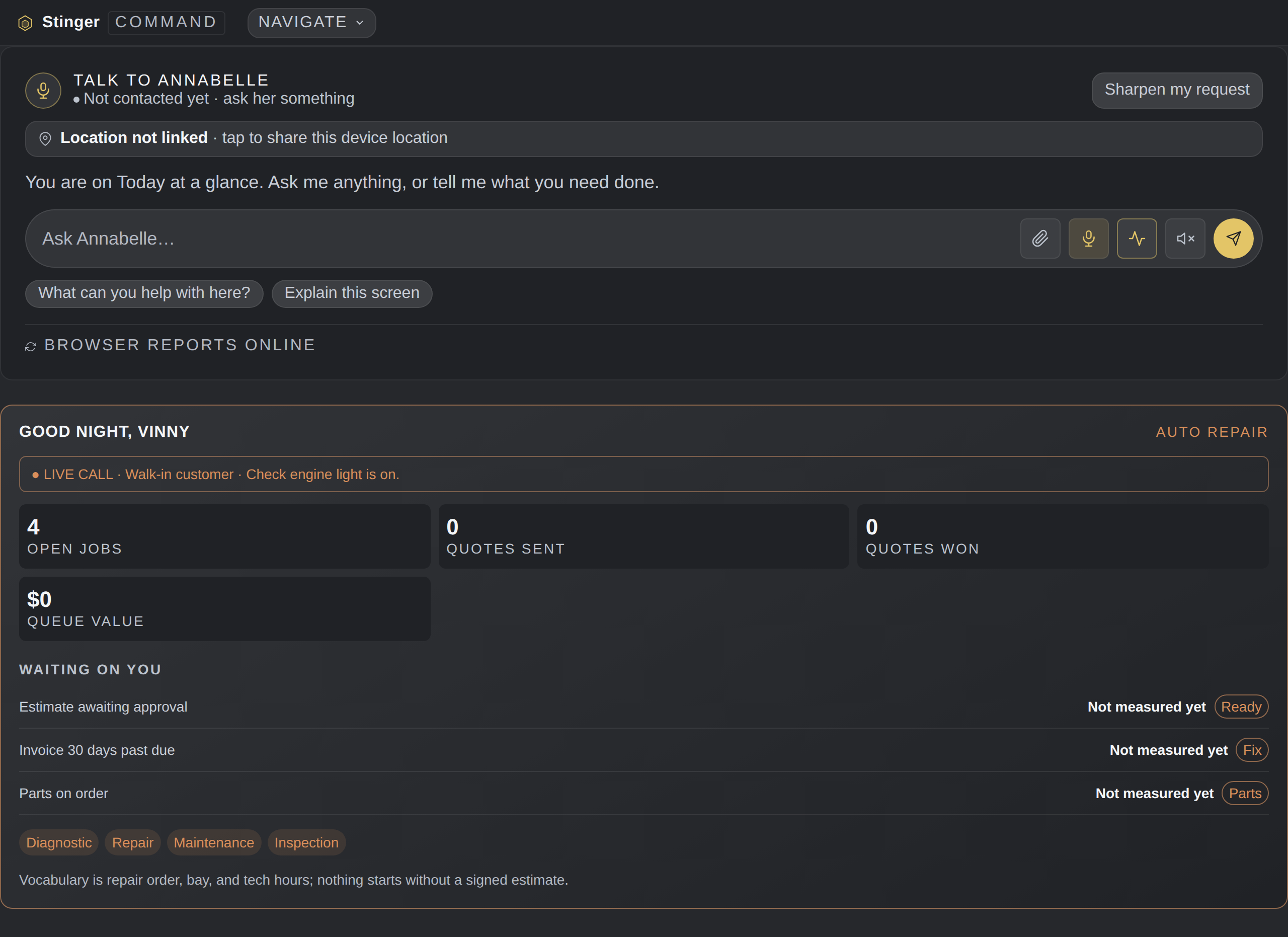
Built for the trade you run.
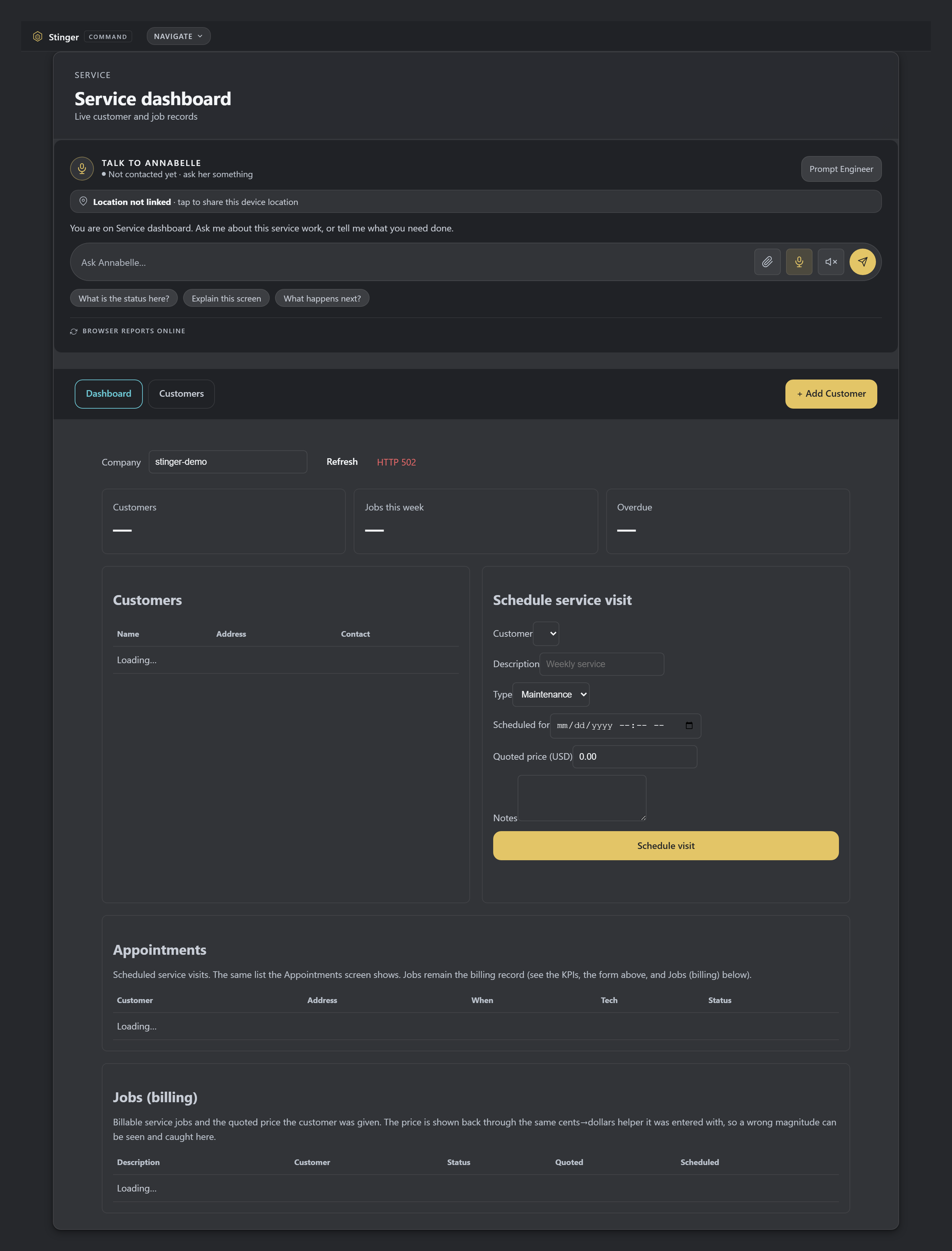
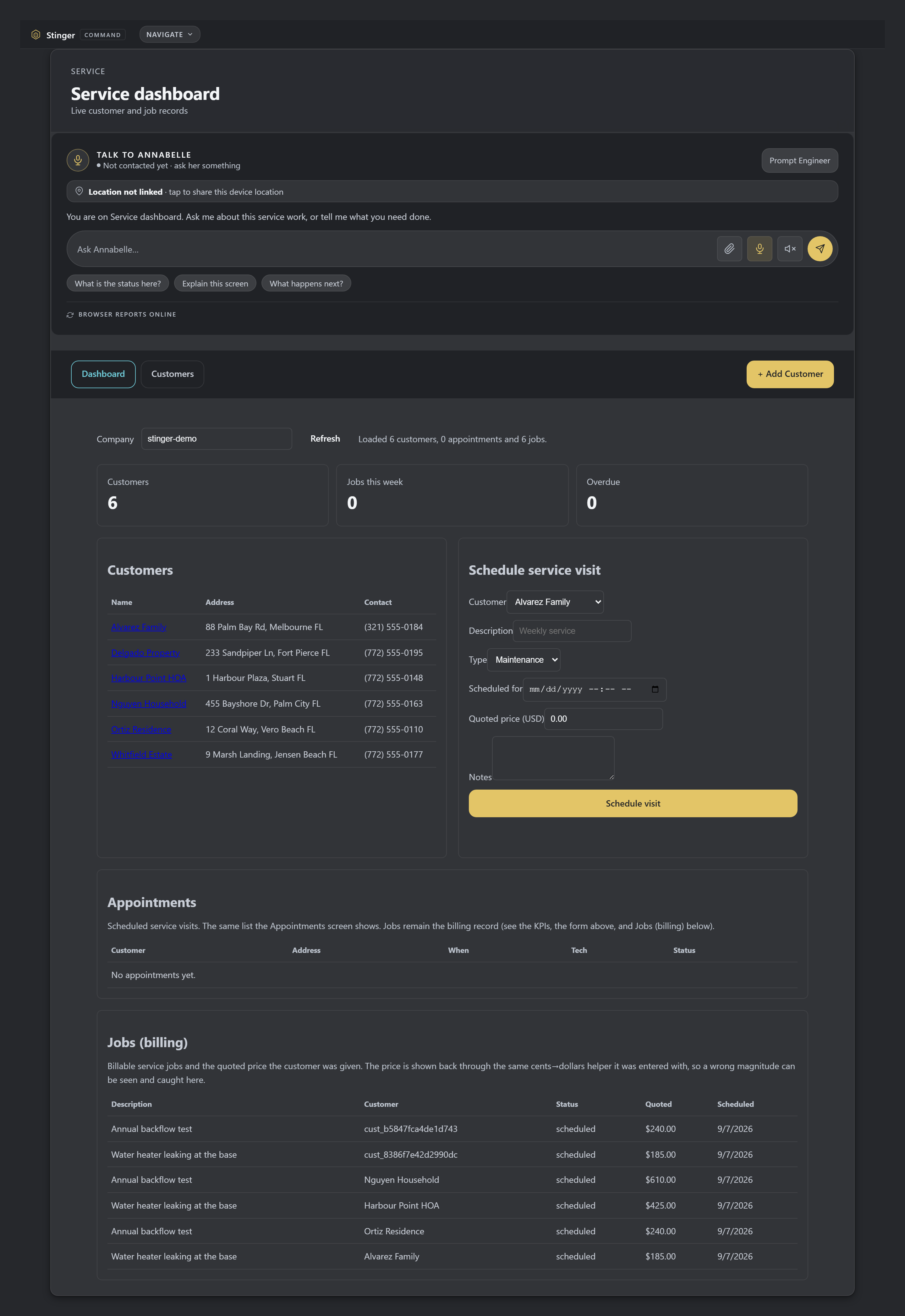
HVAC, plumbing, electrical, roofing, pool service and pool builds, landscaping, concrete, flooring, painting, pest control, cleaning, auto repair, event services and salons. Each one gets its own words, stages, price list and queue, on the same books and rules. For five trades, Annabelle can cite the Florida code with its source.
The same desk, set up per trade
Restaurants, bars and hotels
Hospitality runs on House, from the same sign-in.
A restaurant, a bar, a caterer or a hotel opens House from Command Center. House runs the floor and the book, the pass, the kitchen's recipes, prep and stock, the bar shelf, rooms and banquets. It fits a 40-seat restaurant or a hotel with several restaurants and bars. Chair, Bound, SINET and Cage are the same programs on both sides.
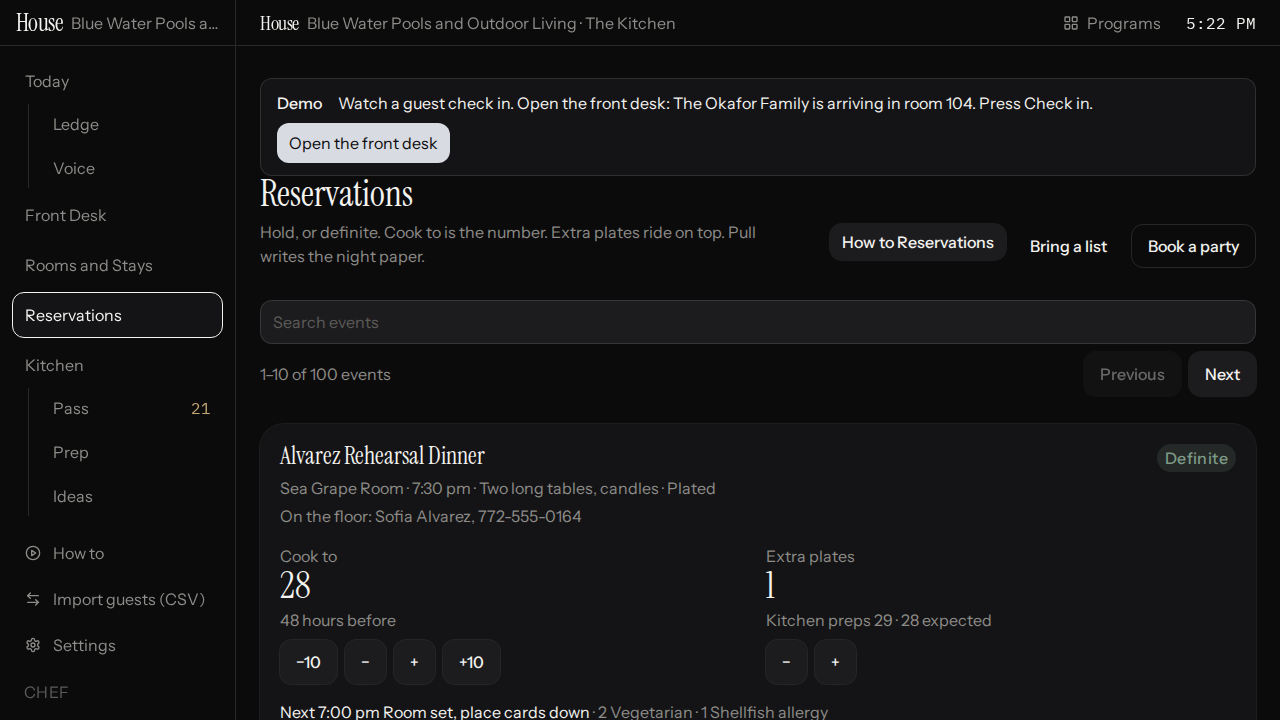
House Reservations lists parties with their status, cook-to count, extra plates, dishes and dietary notes. Review the definite event before pulling for the kitchen so preparation follows the agreed guest requirements.
Meet Annabelle
She runs the desk, and you never learn to talk to a machine.
Annabelle sits in on your meetings, in the room or over the phone, and writes up the minutes and the to-do list before anyone leaves; on the phone dial-in, she tells one caller from another. She answers the business line, drafts the emails and texts, and hands each job to the right specialist. You ask in plain words. The system restates it in your shop's terms before it acts, so you never have to learn the trick of it.
Answers in your visitor's language
When a customer writes or speaks to Annabelle in another language, she answers back in theirs, the same reply, in the language they used.
Asks before guessing
When a request is ambiguous, Annabelle asks a short clarifying question instead of guessing. She would rather check than act on the wrong read. That is the same discipline that keeps her from moving money or sending anything without a human's yes.
Annabelle onboards you
After you buy, she sets you up and teaches you as you go.
After you buy, your account is set up for you. Annabelle walks you through it, talking like a person, and teaches every screen in large, plain type. She keeps teaching as you go, not a one-time tour. See how Annabelle onboards you.
Getting around
One box to jump to anything.
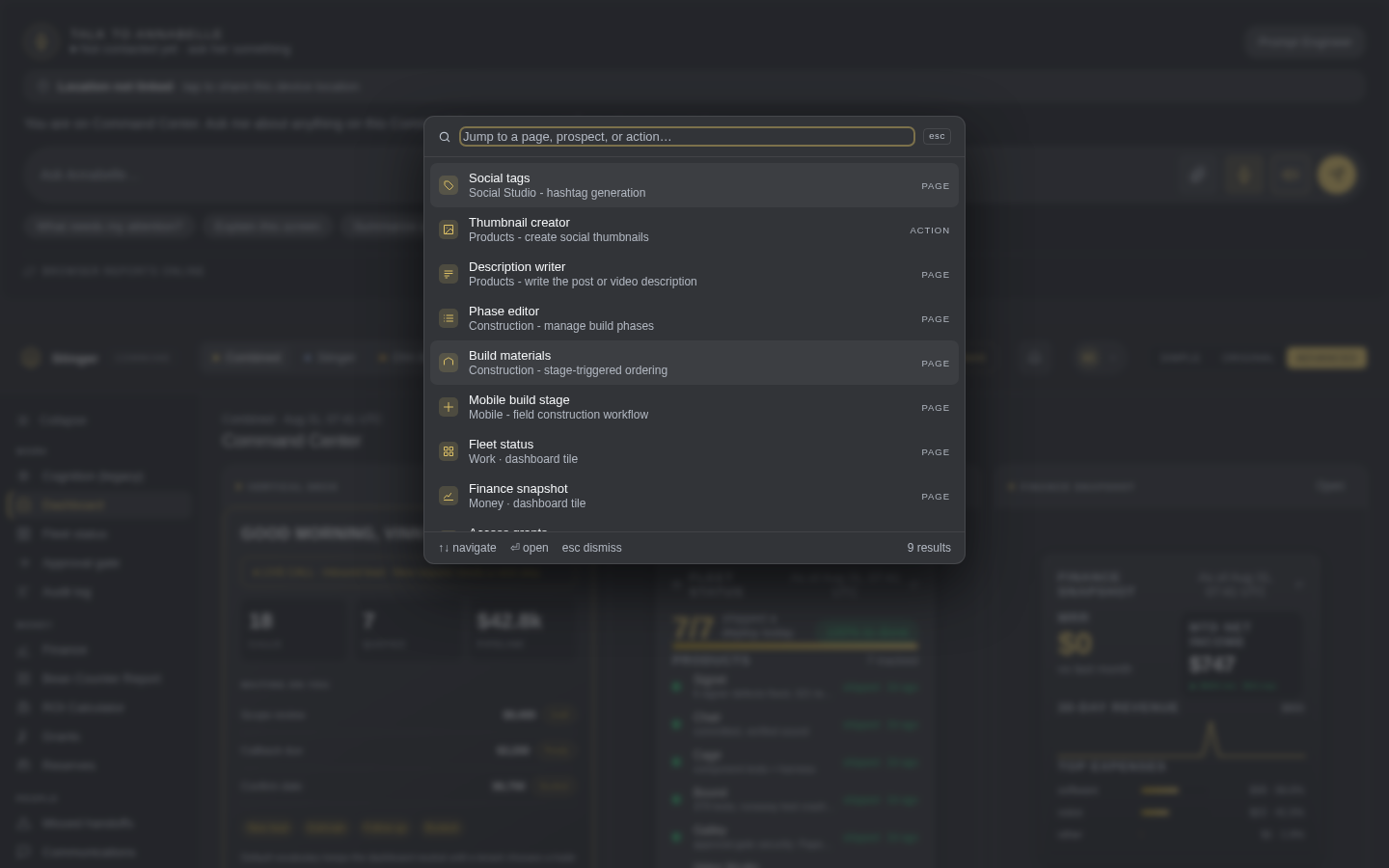
Search or jump to any screen or action from one box. Choose a search result when moving to the next task, so navigation and actions are available without browsing every menu.
On your desk
Install it in one click.

Install it from the address bar. It gets its own icon.
Annabelle + 27 Specialists
Annabelle hands each job to the right specialist.
Annabelle is the one you talk to. She hands the job to the right specialist and brings you back a draft to approve. Every specialist below is a real, running agent, not a chatbot script.
Proposal Writer
Drafts full, formatted client proposals ready to send.
Proposal Reviewer
Checks every proposal for quality, completeness, and accuracy before it goes out.
Prospect Researcher
Looks up the prospect before the call: their brand, likely pain points, what to know going in.
Prospect Scout
Finds new potential clients by industry and area.
Pitch Strategist
Builds 3 to 4 distinct sales angles for every prospect.
Bookkeeper
Month-end reads, close checklists, expense categorization.
Money Watch
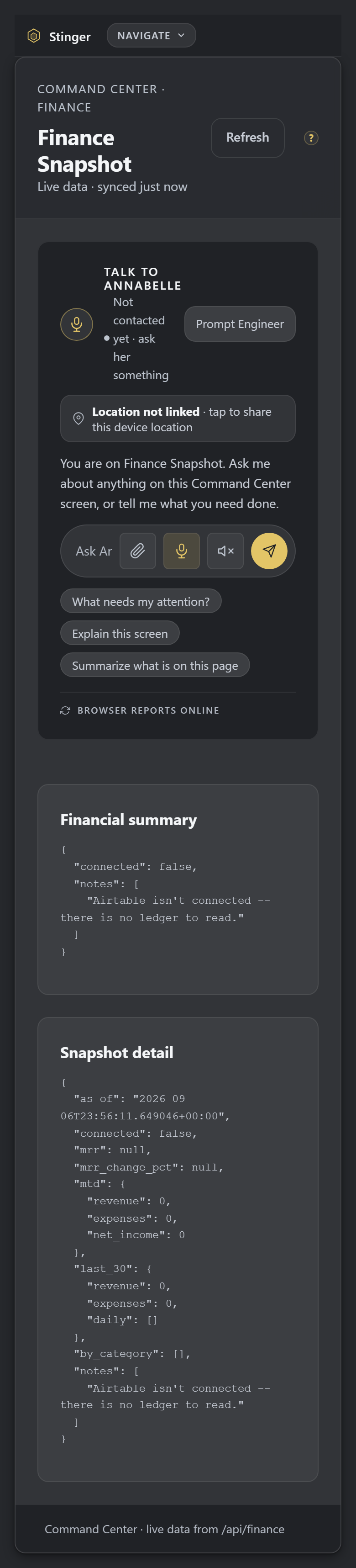
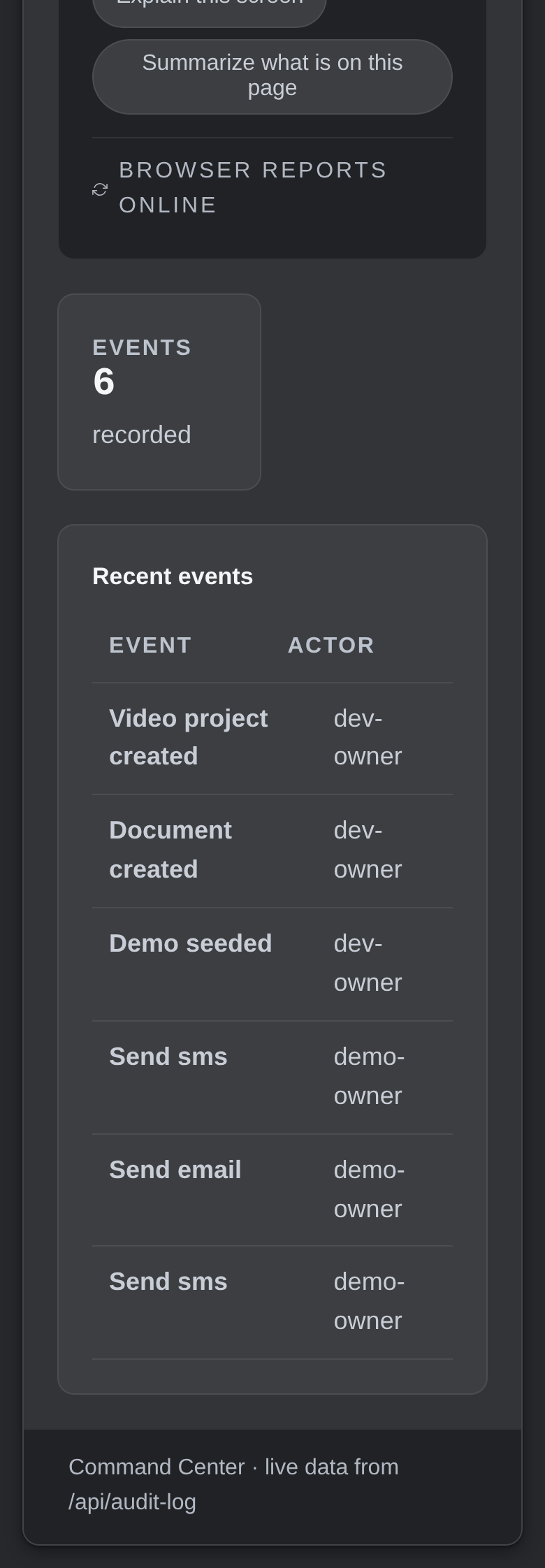
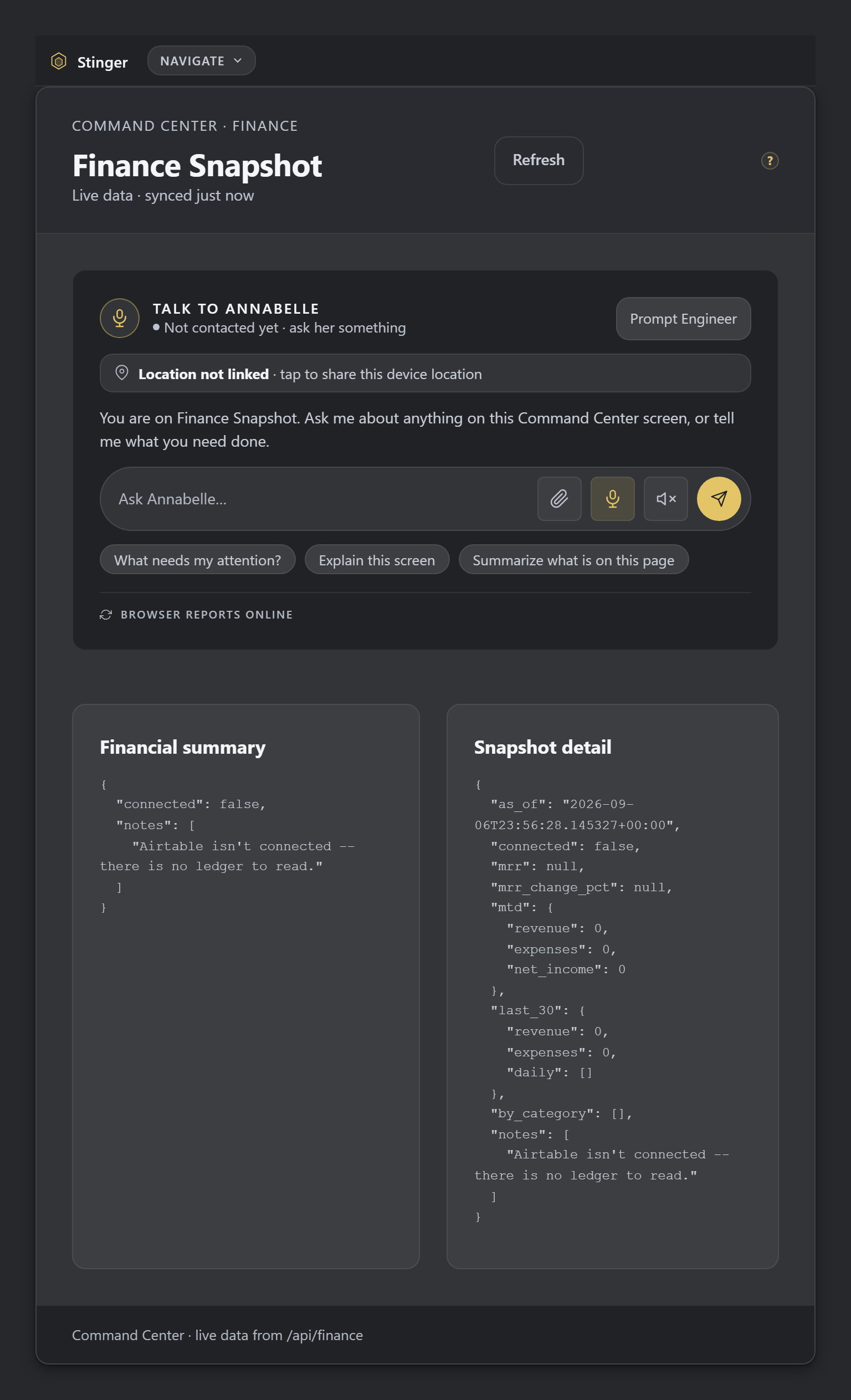
Live finance snapshots: revenue, expenses, AI spend, on demand.
Lead Router
Reads every inbound lead and routes it to the right handler.
Appointment Scheduler
Books and manages appointments straight from your real availability.
Content Writer
Blog posts, email sequences, ad copy, case studies.
Legal Document Drafter
First-pass contracts, terms, and privacy policies.
Trade Code Specialist
Verified Florida building codes across the trades: electrical, HVAC, plumbing, roofing, pool. Other shops' rules, from kitchen to occupancy, apply the same way.
Reputation Specialist
Online reputation and review management.
Meeting Scribe
Turns meeting recordings into summaries and action items.
Critic
A second look every irreversible action (email, social post) has to clear first.
CRM & Lead Management
New, contacted, quoted, booked, done, lost, tracked as the job moves.
Lead Pipeline
New → Contacted → Quoted → Scheduled → Done → Lost, tracked automatically.
Lead Source Integration
Leads from the sites you already pay, like Angi, Thumbtack, and Google Local Services Ads, land in the CRM as regular leads, no retyping.
Outcome Log
Logs the dollars won or lost on every outcome, and what would have slipped away.
Build Requests
Feature and workflow requests logged and tracked to resolution.
Email, SMS & Voice
It talks, texts, and answers the phone.
Annabelle drafts every email for your review. She never sends without you.
SMS
Two-step confirmation on every text before it goes out.
Live Call Assist
Annabelle answers the business line. She never speaks for you until you confirm. See Live Call Assist.
Voicemail Studio
Generate and manage professional voicemail greetings.
Meeting Line
Multi-participant meeting recording, transcribed automatically.
Hands-free voice
Talk to Annabelle with no button to hold: she hears you live as you speak and answers back out loud, and you can talk over her reply if you need to jump in.
Integrations
Keep your tools, or switch.
Connected to the tools you already run, so you keep them. Ready to drop one, Command Center does the same job in-house. Your call, either way.
Google Calendar & Drive
Events, reminders, file search: synced, not re-entered.
Stripe
Payment links, invoices, subscriptions, and a recurring-revenue dashboard.
QuickBooks Online
Invoices, expense tracking, P&L and balance sheet reports.
HubSpot
Contact sync, engagement logging, lead mirroring.
Buildertrend
Jobs, milestones, and client messages, two-way.
E-Signature
Documents to sign, signing, and a full audit trail, in-house.
Linear, Asana, Notion
Issues, tasks, and docs: read and written where your team already works.
Your data, your records
Your own notebook, and a way out any time you want it.
Your own private notebook
Annabelle keeps a running notebook for your business alone, and reads it before she answers. She only writes to it with your go-ahead.
Take your data with you
Export your conversations, your CRM, and a full backup of every table, any time. Nothing here is a one-way door.
Money, Watched
The books stay honest.
Finance Snapshots
Live revenue, expense, and spend summaries: no month-end surprise.
Purchase Orders
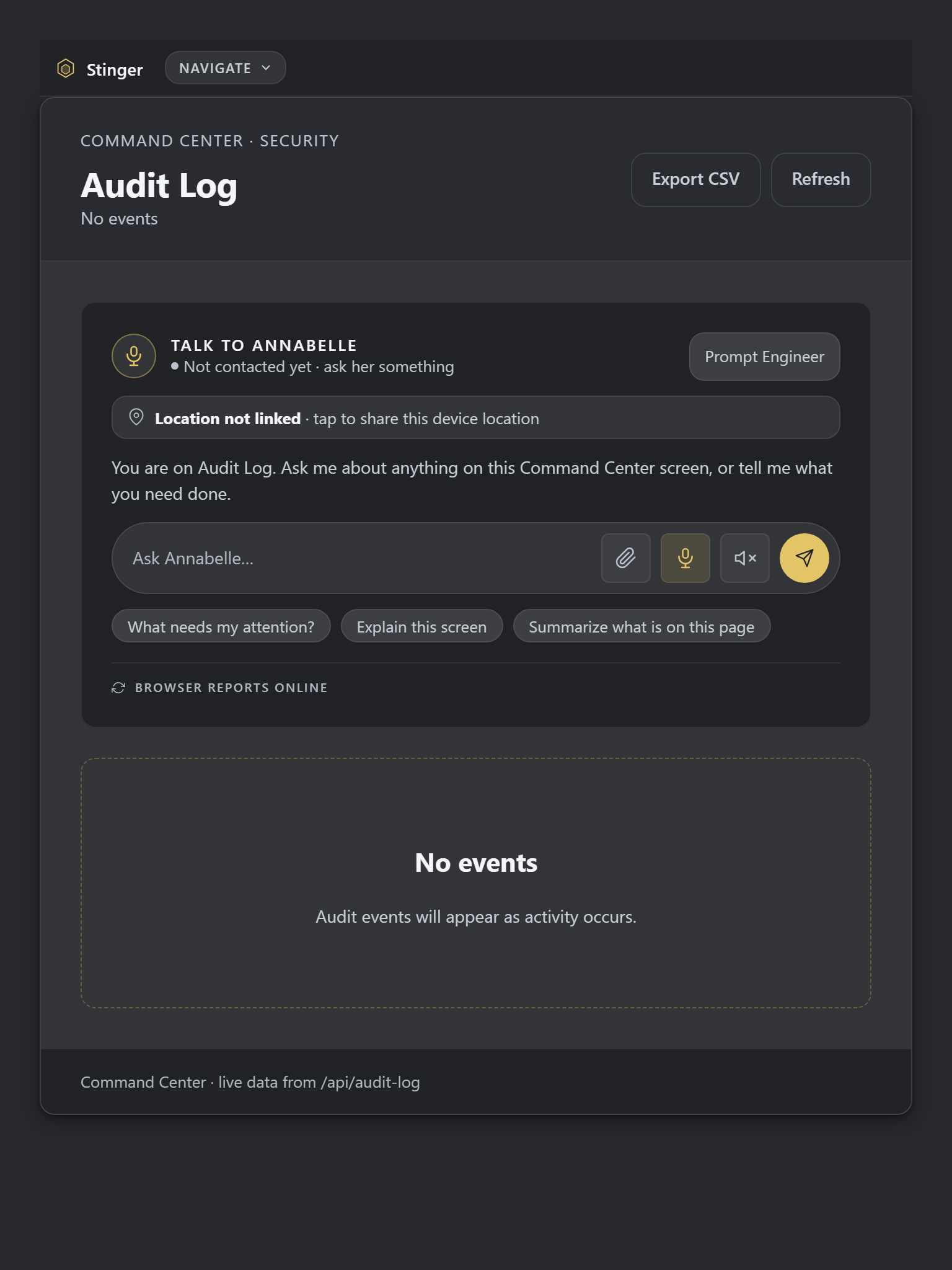
Full workflow with an audit trail on every approval.
AI Spend Caps
Hard limits on search, chat, image, video, and voice spend, by category.
Approval Gate
Money, messages, and filings wait for your tap. The riskiest ones stay held even at full auto: refunds, payouts, wire, ACH, hard deletes. That switch does not come off.
Your Stripe key, encrypted
A connected Stripe key never sits in the clear: it's sealed with an authenticated cipher before it's stored, and a wrong or tampered value fails rather than being used.
What waits for your tap
59 gated tools, held at every automation level.
Every tool that reaches a person or moves money is on a written list of 59 gated tools. Each one waits for an owner's approval at every automation level, full auto included. The automation setting changes how Annabelle describes the workflow. It cannot approve anything.
Messages and calls
Email, text, phone calls, and messages into a client portal wait for your tap.
Money and invoices
Invoices, payment links, marking an invoice paid, purchase orders, and accounting syncs wait for your tap.
Documents and bookings
Sending a document for signature, booking, rescheduling, and cancelling a visit wait for your tap.
19 with a second lock
Refunds, payouts, transfers, wires, ACH, bill payments, deleting client data or memories, cancelling a job, and retrying a failed invoice or order set-up sit on a second list, so they stay held even if the first one ever changed.
How it compares
Against a legacy field-service stack, and against a legacy hospitality stack.
The table below is the field-service column. A venue, kitchen or shop weighs the same desk against the booking, books and inventory tools it already pays for. For hospitality, House sits next to the POS and PMS you keep: Opera, Simphony and Delphi take the money and sell the event, and House runs the night. Legacy field-service platforms now ship some form of AI voice agent, and that race is close. What that category does not ship: several different AI models cross-checking the same task, or an approval gate on money and outbound messages that cannot be switched off. Some of those platforms do not publish a price. This table does not quote their rates.
| Feature | Command Center | Legacy field-service platforms |
|---|---|---|
| Native bookkeeping with a real P&L and balance sheet inside the platform | yes, via Bound, included in every tier | Not the usual shape: books are often an export, a sync to separate accounting software, or a staffed add-on |
| Native e-signature, no per-document fee | yes, SINET, included | Often included. This column does not score one platform against another. |
| AI drafts full narrative sales proposals | Yes | Varies: quote drafts and writing assist are common. A full narrative on your own form is a different job. |
| AI voice agent answers inbound calls and holds a real conversation | Answers and routes to Annabelle; never speaks to a customer without a human confirming first | Yes, in some form. Often a single agent, sometimes a paid add-on. |
| Multiple AI models/providers available to cross-check the same task | Yes: Team Room, included in every tier | no: a single vendor's models |
| Native inventory tracking across multiple stock locations | Yes | Varies: some track trucks and warehouses, some stay thin without an add-on, some track customer equipment rather than your stock |
| An approval gate that always requires human confirmation before money moves or a message sends | Yes | Not published as a gate that cannot be switched off |
| Monthly cost | Launch/Ignite/Accelerate $297/$497/$697, Enterprise $1,397 (up to 50 people; larger teams quoted), every program included; standalone Teams $127, Forge from $77, Creator from $57. No per-seat charges: add your whole team. | A separate subscription. This page does not quote those rates. |
The other column is a category contrast, not a price quote from any one vendor. Command Center features drawn from what's live today per this page and the internal capability catalog.
Stinger Cut, against the video editors you already know
Organizes a project like the rest do, and exports a finished file.
Stinger Cut lives inside Command Center: projects, clips, titles, effects and audio tracks all work today. Rendering and export now work too, so it renders a finished file today, which is why that row reads yes.
| Feature | Stinger Cut | CapCut | Descript | Adobe Premiere |
|---|---|---|---|---|
| Multi-clip timeline project organization | Yes | Yes | Yes | Yes |
| Titles/text overlays | Yes | Yes | Yes | Yes |
| Effects/filters | Yes | Yes | Yes | Yes |
| Audio track editing | Yes | Yes | Yes | Yes |
| Actually renders/exports a finished video file | Yes | Yes | yes: watermarked on the free tier | Yes |
| Monthly cost | no extra fee: part of Command Center | Free; Pro $19.99/mo | Free (60 min/mo); paid from ~$24/mo | ~$22.99/mo (annual plan, billed monthly); $34.99/mo month-to-month |
Competitor figures pulled from each vendor's own pricing/feature pages, 2026-09-03. Stinger Cut features drawn from the internal capability catalog.
Team Room
Several AI models. One room.
The team collaboration suite businesses already subscribe to. Except every seat is an AI model. Several models work the same problem, you assign who does what, and a second pass checks the answer before you treat it as done.
Everything included
Every program in Command Center, one sign-in.
Annabelle, Galley, SINET, Bound, Cage, Chair, Desk (showcase), Live Call Assist, Somnus, Shield, Stinger Cut, Mobile and Quill all run from the same Command Center sign-in, and so does House for hospitality. Forge is included with every tier and also sold on its own from $77/mo. Creator is sold on its own from $57/mo.
Related
The apps Command Center sits above.
Command Center is the core desk. Galley drafts the estimate that starts the job, and Bound keeps the books once the job is done.
On your phone and tablet
Today
Today shows what needs you, down to the dollar.
Unpaid, new leads, jobs on hold
Today shows what is unpaid, how many new leads came in this week and which jobs are on hold, and each line opens the record.
Each line opens the record
A line on Today opens the exact record inside the program that owns it, without a second sign-in.
Staff see their own day
Staff see only their own assigned jobs for the day, not the whole company's records.
Customers & money
What the record shows, and what it admits it doesn't know.
Customers, added and noted
You can add customers and notes by hand as well as by asking Annabelle; only the owner can write them.
Open invoices and month-to-date money
The money view shows open invoices and month-to-date income, expenses and net, and says so when the data it has is incomplete.
Honest when it doesn't know
Search, AI-visibility and complaint measures appear when data exists and say "not measured" when it does not, rather than showing a made-up zero.
Settings
One settings screen for the whole account.
Profile, company, trade, brand
Settings covers your profile, company details, trade and brand kit in one place.
Security
You can manage your password, passkeys, recovery email and signed-in sessions, and sign out other devices, from Settings.
Team
You add team members and set what each person can see and do.
Program visibility
Each company chooses which programs appear on its Command Center.
Billing and usage
Settings shows your usage, what allowance is left and opens your billing portal.
Support
You can report a problem, follow your support request and see its history inside the app.
Developer API keys
Owners can create and revoke developer API keys from Settings.
Files & data
Your files, your imports, your way out.
My files
My Files lets you browse and search your saved files and notes.
Inbound imports
You get an inbound address for sending in records; you choose the allowed senders and approve each import before it lands.
Export by program
You can download your data program by program and see your export history.
Cancel service
You can preview and confirm cancellation yourself, and request account deletion, without calling anyone.
Updates wait for your work
When an update is ready, the app waits until your current work is finished before asking to restart.
On your machine
Get it on your desk
One click from the browser
Install it as an app
Install it straight from the browser in one click. It gets its own icon on your desktop and taskbar, and opens in its own window.
- Chrome / Edge the Install icon in the address bar, or menu > Install (Apps > Install this site as an app).
- Safari (Mac) File > Add to Dock.
- Safari (iOS) Share > Add to Home Screen.
Android
Google Play
On Google Play, in review.
iOS
TestFlight
Via TestFlight, pending.
No app to install to see it, ask Vincent for the demo.